Team management made for studios
Instructor profiles, intuitive staff roles, and everything organized so you can stop playing admin and get back to running your studio.
Start your free trial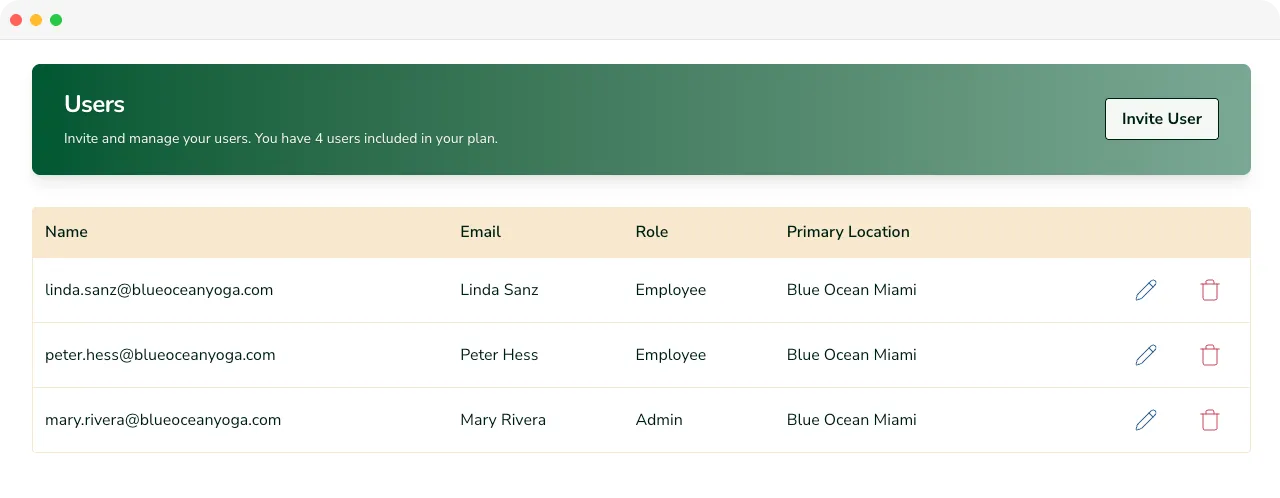
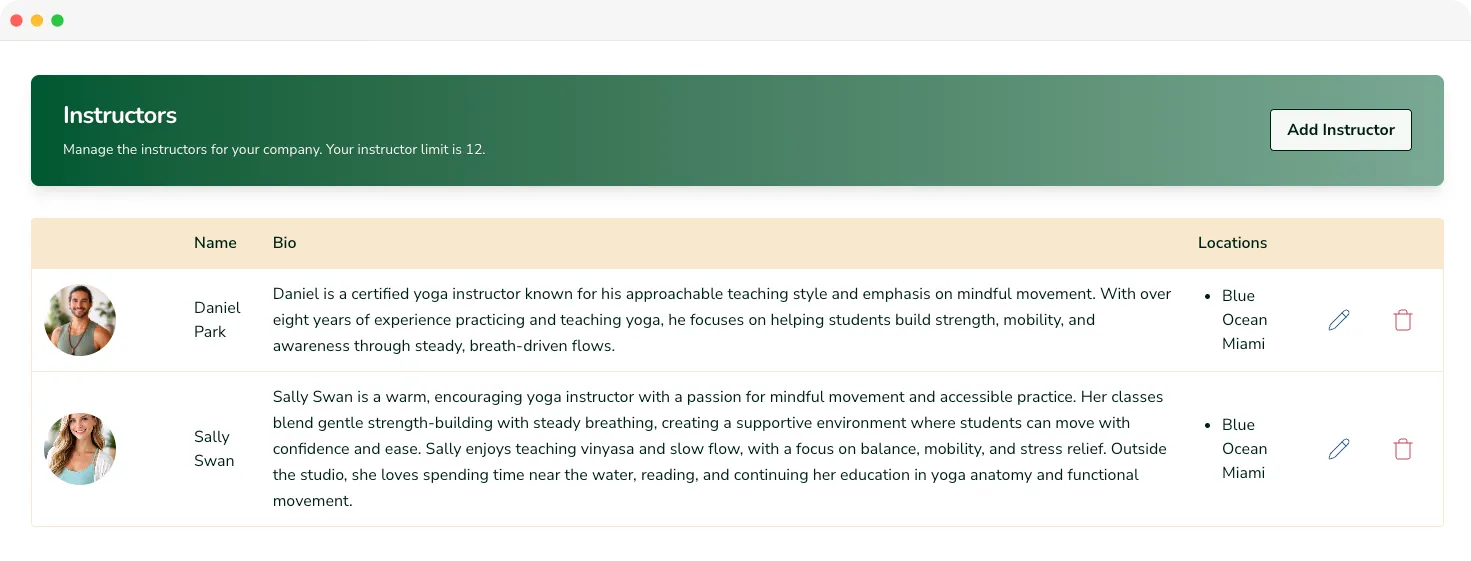
Add your instructors once. Assign them everywhere
Set up an instructor profile once with their bio, photo, and specialties. From there, assigning them to classes takes a couple of clicks right inside the schedule builder. Need to swap someone last minute? Done in seconds.
Read more about class scheduling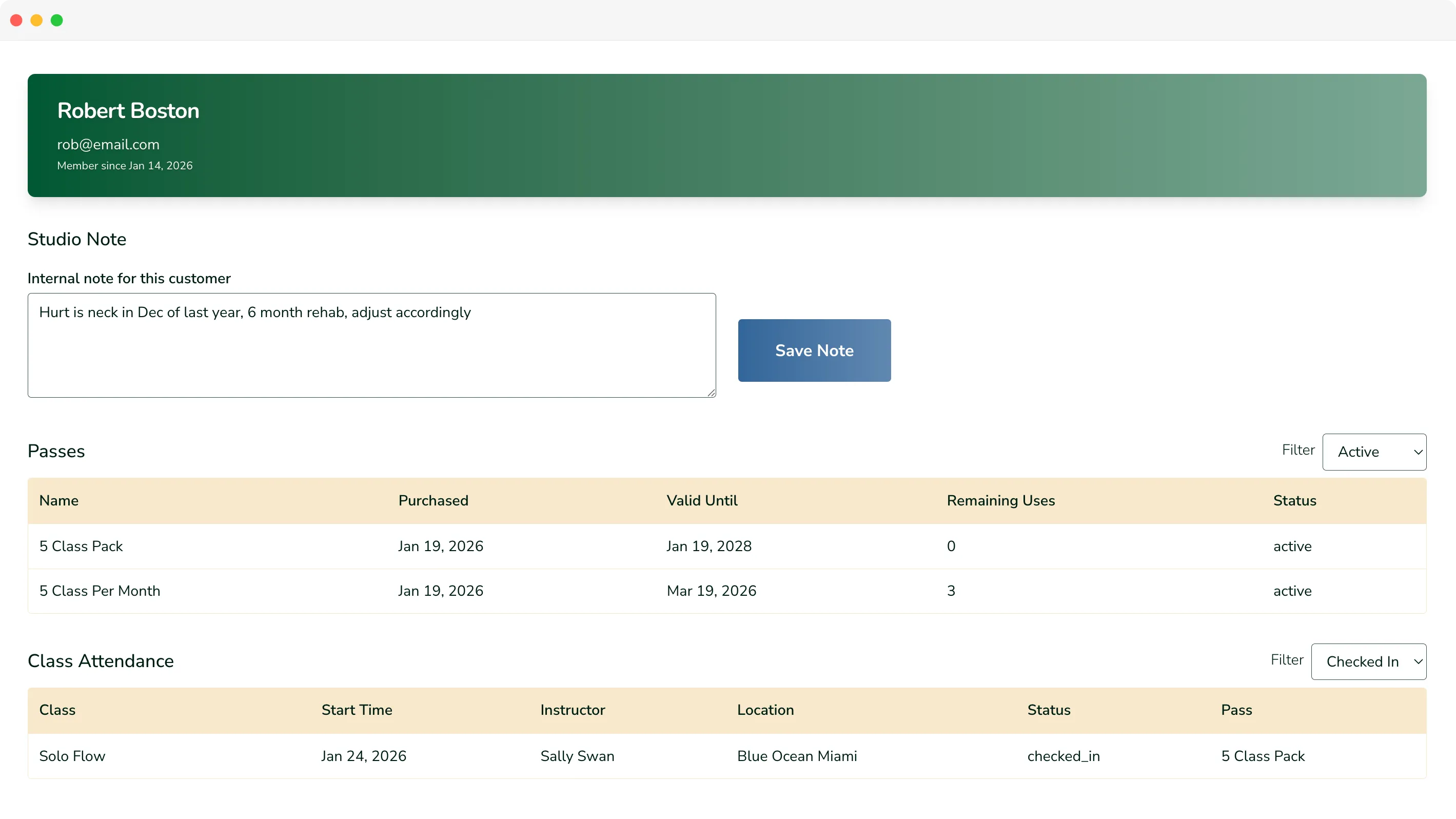
A full picture of every student
Every booking, pass, payment, and the little notes that remind you Sarah's got a bad shoulder. The foundation for knowing your community, not just managing it.
Read more about student managementRoles built around how studios operate
Owner / Admins run the show
Full access to everything that keeps your studio running: schedules, pricing, passes, memberships, and settings. Bring in a co-owner or admin you trust and they can run the show right alongside you.
Employees handle the front desk
Your front desk staff get a clean, focused view built for check-ins and day-to-day ops. They can do their job well without accidentally wandering into your pricing settings at 8am on a Tuesday.
Instructors are flexible by design
Create instructor profiles with a bio, photo, and specialties and assign them to classes in a couple of clicks. Need them to have platform access too? Give them a staff role. Just want them on the schedule? That works too.
Frequently asked questions
There are three roles for studio management: Owner/Co-Owner, Admin, and Employee. Owners and Co-Owners have full access to everything. Admins can manage schedules, pricing, passes, memberships, and customers but cannot modify billing. Employees have a focused view for check-ins and day-to-day operations without access to scheduling or pricing settings.
As many as you need. Each plan includes an unlimited number of team members.
Read more about plans & pricing
The Core plan includes 10 instructors. If your team is larger than that, the Studio plan gives you unlimited instructors.
Read more about plans & pricing
You can deactivate that instructor and they won't count against your instructor limit.
Employees can check students in, view upcoming classes, and assist with front-desk operations. They cannot modify schedules, pricing, settings, or revenue data.
No. Instructors can be set up either as full system users (co-owner, admin, or employee) or simply as instructor profiles. You choose whether they need login access or not.
Yes. Each instructor can have a bio, photo, and class specialties. These display anywhere a student sees the instructor, including your public class schedule and booking views. Instructors without login access can still appear on schedules, but only admins and employees can manage classes.
Read more about online booking
When creating a class in the schedule builder, you simply select the instructor from your instructor list. The public schedule updates instantly, and students see who's teaching before booking.
Read more about class scheduling.
You can deactivate their account. This keeps your schedule and analytics intact while removing their access immediately.